

Cancel Golan Telecom Service
Step-by-step guide to cancel, freeze, or change your Golan Telecom line.
Login to Golan Account
Important: We are a distributor and cannot access your Golan Telecom account directly.
How to Cancel Your Golan Line
1. Login to your Golan Telecom account:
https://www.golantelecom.co.il/en/login2. Scroll down to the "More Actions" tab

3. Click "Line Disconnection"
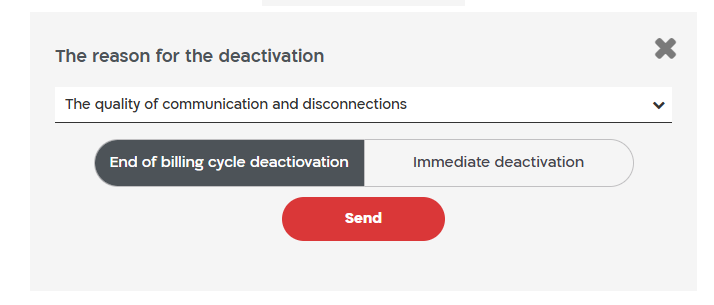
4. Choose to cancel immediately or at the end of billing cycle
Freeze / Hold Your Line
You may request Golan Telecom to place your line on hold instead of canceling.
- Minimum hold period: 1 month
- Maximum hold period: 3 months per year
- Cost: ₪9 per month
Change Your Plan
You can change your Golan Telecom plan anytime by logging into your account online.
Need Us To Cancel It For You?
We can contact Golan Telecom on your behalf and process the cancellation for you for a $10 service fee.
Traveling to Israel Occasionally?
If you only visit Israel short-term, consider switching to a Prepaid Israeli SIM Card.
- Keep your permanent Israeli number
- No monthly charges
- Refill online before travel
- Perfect for travelers
- Free shipping available
You are responsible for ensuring your cancellation request is completed successfully.